
Extensions
Extensions
Connect a project to Stripe and to your own HTTP APIs with extensions, set up their environments and secrets, and use them in forms and automations.
Extensions connect a project to other services. A built-in extension, such as Stripe, adds ready-made fields and automation steps. An API connector is one you define yourself for any HTTP API.
Extensions belong to a project. Select Extensions in the project’s sidebar to see them.
The Extensions page
The page lists:
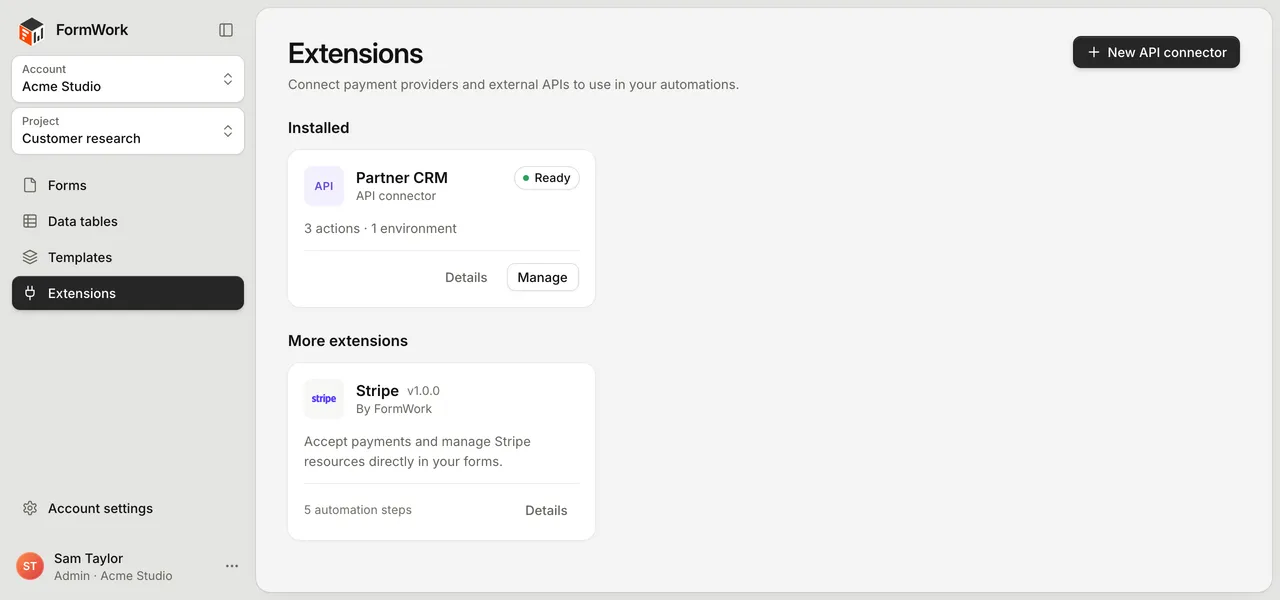
- Installed: built-in extensions with at least one environment, and every API connector in the project.
- More extensions (or Available extensions when nothing is installed yet): built-in extensions you can add.
Each card shows its status. Select a card to see what the extension does, or select New API connector to start your own.
Install a built-in extension
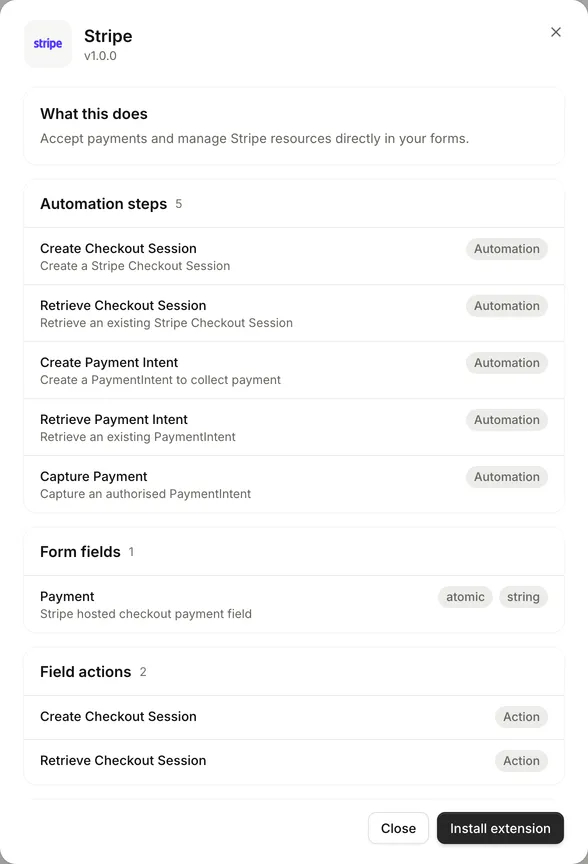
- Select the extension’s card, then select Install extension.
- On the Environments tab, select Create environment (or Add if one already exists).
- Enter an Environment name, such as “Stripe test”. The Environment ID is filled in from the name. Change it now if you need to, because it cannot be changed after you save.
- Select Create environment.
- Under Secrets, enter each required value in Secret value and select Update secret.
- Turn the environment on with its toggle.
The extension’s fields and automation steps become available once it has an enabled environment.
Environments
An environment holds the connection details for one account or mode of a service, such as a test account and a live account. Actions and fields are shared; only the connection details differ.
- A new environment starts switched off.
- The first environment becomes the default. Select Make default on another to change it.
- Fields and automation steps can pick a specific environment. Otherwise they use the default.
- Only enabled environments can be used. A field or step set to an environment that is switched off or deleted does not fall back to another one.
- Delete environment removes its connection details and settings. If it was the default, the first remaining environment becomes the default.
The badges at the top of an extension’s page tell you what is missing, for example No environment, Missing secret or No actions. Ready for automations means an enabled environment has everything it needs.
Secrets
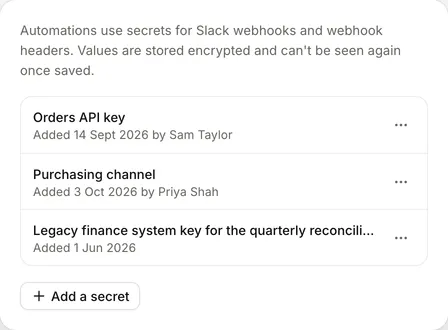
Keys, tokens and passwords are stored as project secrets. They are never shown again after you save them and are never sent to the people filling in your forms.
To replace a secret, enter a new value and save. You cannot view the old one.
Every secret in a project is also listed under Project settings > Secrets, where you can rename or delete it. Before you delete one, FormWork lists the automations and connected apps that use it. They stop working until someone chooses another secret.
Use an extension in an automation
Extension steps appear in the step chooser under Connected apps:
- A built-in extension adds its own steps, such as Create Checkout Session for Stripe.
- An API connector adds one step for each of its actions, named after the action.
Connected app steps cannot be used in automations that run while someone fills in the form. They are available with every other trigger.
Each step lets you choose the Environment, fill in the request with fixed or inserted values, and set Retries. If the call fails, the steps under If it fails run, and When it fails decides whether the run fails, stops or carries on. See API connectors for how a step behaves and what it returns.
Choose the right integration
| You want to | Use |
|---|---|
| Take a card payment in a form | Stripe |
| Call an external API and use its response in later steps | API connector |
| Send a one-off request to a URL from an automation | The Send to webhook step (Steps) |
| Post a message to a Slack channel | The Send Slack message step (Steps) |
| Let another system start an automation | The API request trigger (Triggers) |
| Let another system read or change FormWork data | The REST API |
| Put a form on your own site | Share and embed |
Good practice
- Keep test and live credentials in separate environments.
- Turn an environment on only once its details are complete.
- Test an API connector action on its Test tab before you use it in an automation.
- Save IDs that come back from another system on the entry, for example in a team field, so later steps can find the record again.
- Check the automation’s runs to see the request and response when something fails.