
Choose FormWork when clients bring a variable number of companies, contacts or records, and your team needs to own each submission through review. Native nested repeaters and an entry work queue make that a natural fit. Choose Paperform when a rich, branded form page or a document-signing journey is the main deliverable. Its platform brings together Paperform, Papersign and Stepper.
The decision at a glance
| Your situation | FormWork | Paperform platform |
|---|---|---|
| Each client has several companies, each with several contacts | Native repeating groups inside repeating groups | Duplicate groups in advance, then reveal them with logic |
| Staff need an owner, due time and next action for each submission | Entry stages, team fields and a cross-form work queue | Form results and Stepper automation workflows |
| 80 clients a month need intake and review, without signing | Starter: £19/month excluding VAT, with all features | Free allows 30 submissions/month; Pro adds capacity and signing |
| Clients need contracts signed | External signing service and integration | Papersign with document allowances on every plan |
| A simple form receives 20 submissions a month | Paid subscription after the trial | Free tier worth considering if its limits and branding fit |
When FormWork is a better fit
Clients have several entities, each with several contacts
FormWork has native repeating groups, including groups inside groups. Define a company and its contacts once; the client adds the items they need, within the limits you set. Each company and contact keeps its identity as items are added or removed. Calculations, templates and automations can use the same repeated structure.
Paperform’s repeated-questions guide documents two workarounds: duplicate the groups in advance, then reveal them using an “Add another?” answer or a quantity question. You create enough copies for the maximum number of items you want to allow.
FormWork is the more direct choice for variable, nested intake. You maintain one definition of the repeated fields instead of several copies and their visibility rules. Paperform’s approach can be perfectly adequate for a short list with a fixed maximum.
Onboarding needs an owned work queue
FormWork keeps the client’s answers and your team’s work on the same entry. Add internal notes, a risk score or an account reference using team fields. Give each stage an owner and due time, request approval by emailed link, and find outstanding work in My work.
Automations can react to a staff-field change, an approval decision, time spent in a stage or a date in the form. They can loop over entities, generate PDFs and call APIs. Recorded runs and isolated tests help you trace an unexpected result before changing the live setup.
Paperform includes Stepper workflows, so automation is not exclusive to FormWork. The reason to choose FormWork is its built-in entry, stage and work-queue model when that is how your team wants to handle onboarding.
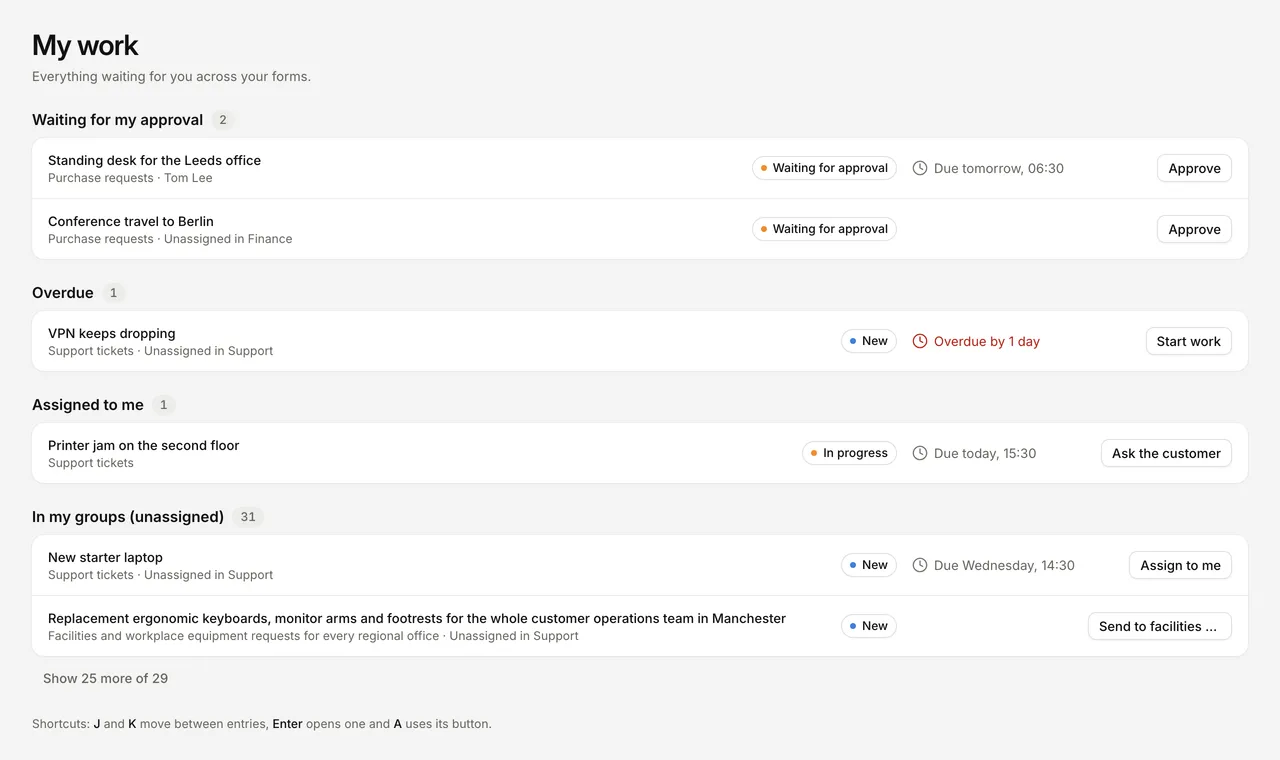
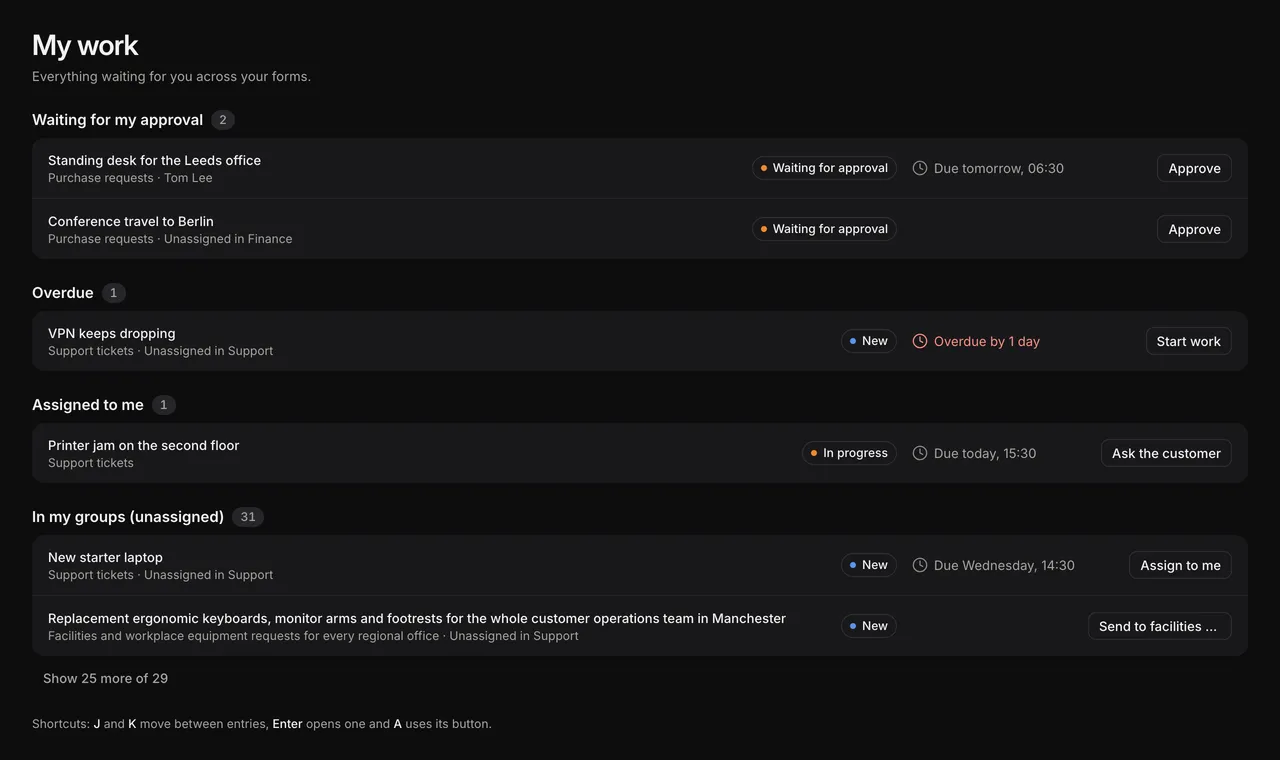
My work brings the entries needing your attention together across forms in the account.
You need to preserve what each client was asked
FormWork’s versioning keeps an entry on its original questions, conditions and validation, even if the client started but has not submitted. You can introduce a new evidence requirement for future clients while retaining the earlier form behind existing answers. Team fields and the process follow the latest published version.
Paperform also has draft publishing and version history, including loading or publishing a previous version. Its history retains recent versions for up to 30 days, sometimes less when there are many. That is a useful rollback feature: FormWork does not offer a general restore button for archived form versions. Choose FormWork for its explicit per-entry question version; choose Paperform’s editor history when easy rollback is the priority. The linked Paperform guide does not establish how unfinished submissions behave after a change.
When Paperform is a better fit
Choose Paperform when the form’s presentation is a major part of the experience. Its editor combines questions with page content, imagery and formatting. It is well suited to branded bookings, orders and client-facing pages where the form also needs to explain or sell the service.
Choose Paperform when clients must sign documents. Papersign is part of its platform, with signing allowances on every plan. FormWork’s signature field captures a form answer; a contract-signing journey requires an external service and integration.
Choose Paperform for a small, simple form on a free plan. Free includes 30 monthly submissions, unlimited users and 200 monthly workflow steps, with Paperform branding. FormWork has a 30-day trial and a paid starting plan. Paperform also includes unlimited user seats on paid plans, so team size alone is not a FormWork pricing advantage. Paperform features and pricing.
Where the pricing favours each product
For 80 new clients a month without contract signing, FormWork Starter is £19 per month excluding VAT. At up to ten executed automation steps per client, that uses 800 of its 1,000 monthly steps and 80 of its 100 entries. Nested repeaters, approvals and the staff workspace are included. The plan allows 1,000 stored entries and rows, 5 GB of files and three projects; records accumulating over time can require an upgrade. FormWork pricing.
Paperform Pro lists USD prices of $59 per month, or $49 per month billed annually, excluding sales taxes. It includes unlimited users, submissions subject to fair use, 25 signed documents a month and 20,000 monthly automation credits. Business adds more workspaces, access controls and larger allowances. Stepper credits and FormWork steps are different usage measures. Paperform pricing.
FormWork’s starting subscription works well when you need complex intake and review but do not need to buy signing with it. Paperform Free cannot cover 80 submissions a month. For only 20 simple submissions without signing, assess Free first. For 20 clients each signing one contract, Pro’s 25-document allowance makes Paperform a more complete option; add an external signing service and integration to the FormWork cost. Prices retain their original currencies.
Try a client with a complicated structure
In your 30-day FormWork trial, build just the structure that is difficult in your current form: two companies, one with one contact and one with three. Add a contact, remove another and change a shared field label. In Paperform, try the same changes with its duplicated groups and visibility rules.
Next, use the client onboarding walkthrough to add an owner and a review stage, or ask a connected assistant to prepare that draft. Include a signed contract only if your service needs one. This gives you a decision based on the part of the job you actually need to improve.
FormWork requires an internet connection, and everyone in an account can open every entry. Its internal fields are hidden from clients, not other account members. See access boundaries. Moving from Paperform also means rebuilding any Stepper workflows and signing handoffs you use.
Written by the FormWork team from the linked official documentation, checked on the review date above. The onboarding process is an illustrative example.