
Choose FormWork when suppliers bring complex nested data and your team needs a ready-made workspace to review, approve and act on it. You get native nested repeaters, stages, automations and API access on every plan. Choose Formidable Forms when the answers need to become a public WordPress application: a directory, listing or page where visitors edit records.
The decision at a glance
| Your situation | FormWork | Formidable Forms |
|---|---|---|
| A supplier has several companies, each with several contacts | Native repeating groups inside repeating groups | A repeater cannot contain another repeater |
| Staff need review queues and approval handoffs | Hosted entry workspace, team fields, stages and automations | Entry management, Views and WordPress application features |
| A small intake needs API access and generated PDFs | Included on Starter at £19/month excluding VAT | API integration and Forms to PDF are listed on Business and Elite |
| Visitors should search or edit published records | Separate public interface built through the REST API | Views and front-end editing in WordPress |
| The form is part of an existing WordPress application | Embed a hosted form; rebuild surrounding custom behaviour | Keep the site’s Views, shortcodes and WordPress code |
When FormWork is a better fit
Your intake needs repeaters inside repeaters
Suppose a supplier has several companies, each with several contacts and addresses. FormWork represents that as nested repeating groups in one form, with stable IDs for each repeated item. Your calculations and automations can work with the same structure, including looping over items to create records or build an email or PDF.
Formidable’s Repeater documentation explicitly says repeaters are not intended to contain another repeater. It supports repeating rows and Views over those records, but that field cannot directly express the companies-and-contacts structure above. FormWork wins when you need that hierarchy in one intake form, without designing separate forms and record relationships around it.
You need a staff process more than a public directory
After a supplier submits, your team may need to score risk, collect a decision and record an external supplier ID. In FormWork, team fields are a separate internal form on the entry, with typed fields, calculations, validation and buttons that can trigger automations. They are hidden from the supplier.
Stages add ownership, due times and approval decisions. An automation can route a high-risk supplier to review, remind an approver and create a row in an approved-suppliers data table. Each run records what happened and can be tested without sending messages or saving changes. These tools are included in the hosted product rather than requiring you to design staff handling around a WordPress display layer.
Formidable offers entry management, front-end editing, Views and automation integrations. Those are useful building blocks, especially if staff and suppliers already work in a WordPress application. FormWork is the stronger fit when you want its existing entry workspace and stage model to be the application your team uses.
A small intake needs API access, PDFs and automation
An 80-submission supplier process may still need to call your purchasing system, generate a review PDF and loop over the supplier’s contacts. FormWork includes its REST API, HTTP connectors, PDF templates and automation tools on Starter. Low volume does not mean accepting a reduced set of features. FormWork plans.
Formidable lists API integration, Zapier and Forms to PDF on Business and Elite. FormWork wins on access to the full toolset from the first plan. Formidable’s annual licence can still be economical, especially when you also use its WordPress application features.
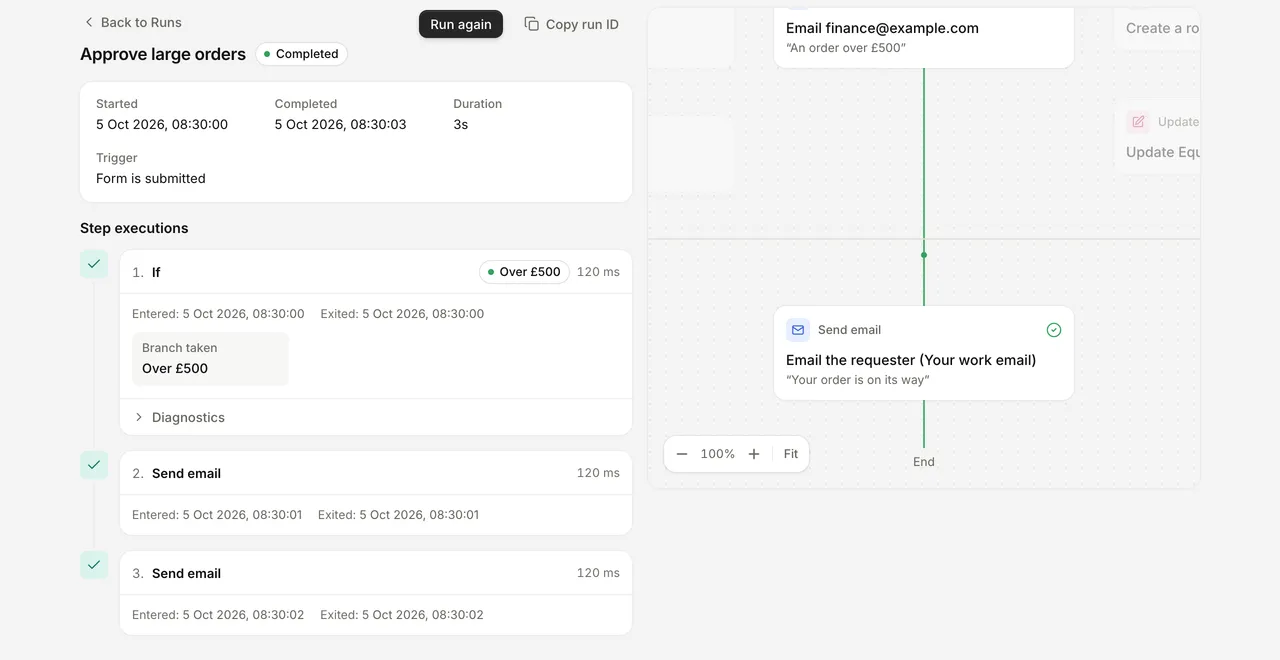
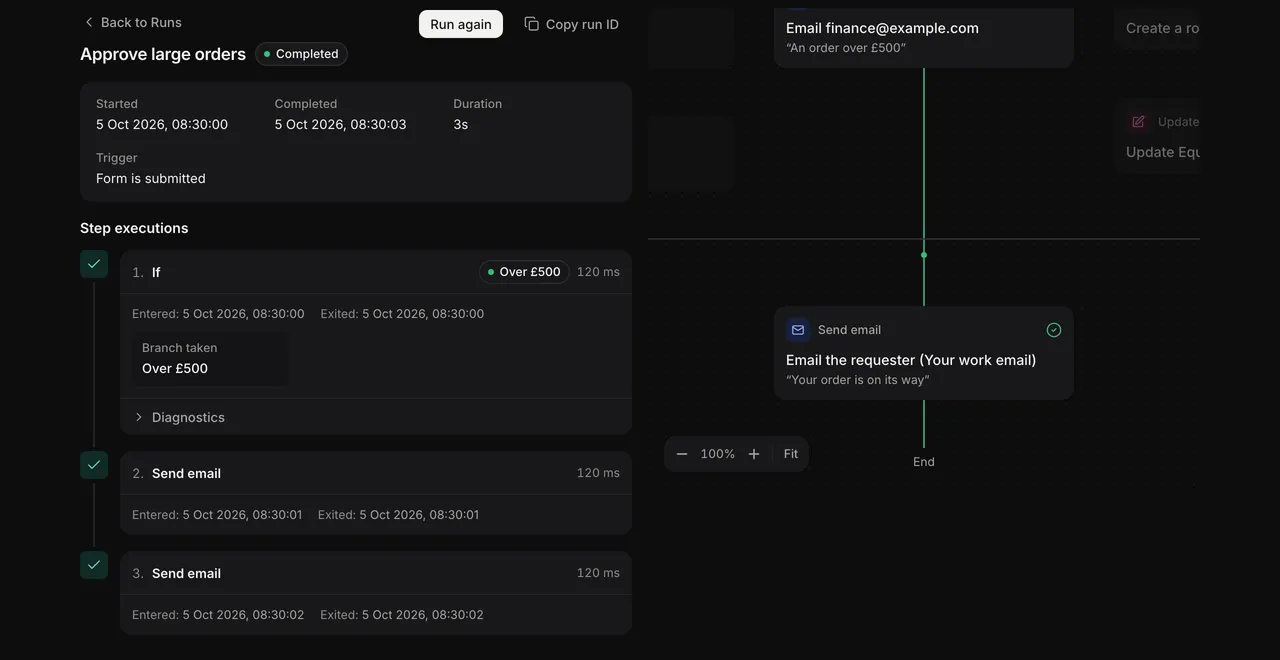
An example automation run in FormWork. Use the recorded steps to investigate an unexpected result; Test mode lets you try changes without external effects.
As the process evolves, publish reviews cover questions, stages and automations together. Existing entries keep their original respondent questions while staff handling follows the latest published process. An AI assistant can prepare and test those changes.
When Formidable Forms is a better fit
Choose Formidable when the answers must become a public WordPress application. Its Views can display records in your site. Its plan comparison includes front-end editing, filtered Views and several display formats. A searchable supplier directory or visitor-facing editing page is a natural use of those tools.
FormWork’s saved views are for the internal team. A public directory or customer portal needs a separate interface built on the REST API, with its own access handling. If that interface is the main deliverable, Formidable can save you substantial custom development.
Choose Formidable when WordPress is already the system you operate. You keep the backend with your site and can extend it through WordPress code. FormWork offers hosted rules and integrations, but cannot replace every shortcode, View or custom PHP function in an existing application.
Price intake and the public application separately
For a small supplier intake receiving 80 entries a month and using up to ten executed automation steps per entry, FormWork Starter is £19 per month excluding VAT, or £228 over twelve months. It includes 100 monthly entries, 1,000 steps, three admins and unlimited members, within limits of 1,000 stored entries and rows, 5 GB of files and three projects. Records accumulating over time can require an upgrade. A public directory would be additional development. FormWork pricing.
Formidable Plus with Views is $99.50 for the introductory year, renewing at $199 annually. For API integration, Zapier and Forms to PDF, Business is $199.50 for the introductory year, renewing at $399 annually. Prices are in USD; include WordPress hosting and applicable tax. Formidable pricing.
For a directory on a site you already maintain, Formidable can be the more economical and complete starting point. FormWork earns its subscription when native nested intake, the staff workspace and maintaining the process separately from WordPress are what you need.
Try your supplier structure
Start a 30-day FormWork trial and build one supplier with two companies, each with a different number of contacts. Use the supplier onboarding walkthrough, or ask a connected assistant to prepare that structure and a review stage. Test one high-risk entry before adding the rest of your process.
If your real deliverable is a searchable public supplier directory, start with a Formidable View too. The nested intake and the public display are different jobs; try the one that matters most to your users first.
Everyone in a FormWork account can open every entry; team fields hide data from respondents, not other staff. Separate accounts are needed for teams that must not share access. See security and access.
Before moving an existing Formidable application, inventory its Views, shortcodes, permissions and integrations. A data import will not recreate its public screens.
Written by the FormWork team from the linked official documentation, checked on the review date above. The supplier process is an illustrative example.