
Cognito Forms and FormWork both handle calculations, repeating data and approvals. Choose FormWork when you want your AI assistant to build and change the surrounding process, or a small team needs advanced workflows without buying a higher feature tier. Choose Cognito when clients need a portal or participants need different views of the same form.
The decision at a glance
| Your situation | FormWork | Cognito Forms |
|---|---|---|
| An assistant should change an existing approval process | MCP tools configure questions, stages, approvals, automations and views | Documented MCP actions generate new forms and work with entries; no view management |
| A team runs a complex process at low volume | All features and unlimited members on Starter at £19/month excluding VAT | Workflow and approval features are listed on Team and above |
| Clients need to return to all their submissions | Read-only status link for one entry | Client portal and role-based form access |
| Different participants need different fields and actions | Team fields hidden from respondents; account members share entry access | Workflow roles control visibility, editing and actions |
When FormWork is a better fit
You want AI to build more than the questions
For a purchase request, creating the form is only part of the job. Someone must also configure the approval limit, finance stage, reminder, internal PO number and team’s filtered view.
FormWork’s MCP tools can create and edit those parts, including an existing draft. The assistant can test an automation without sending messages or changing real entries, then prepare a publish review. You can ask it to investigate failed runs after launch, too.
Cognito’s MCP connector generates new forms, reads and changes entries, retrieves files and controls form availability. Its documented action list does not include editing an existing form’s definition or configuring workflows, and it explicitly excludes creating or managing entry views. FormWork has the broader documented scope for configuring a solution through an assistant. Cognito remains useful for generating a form and working with its data.
A small team needs a serious approval process
A purchasing process with 80 requests a month can still need several approvers, internal PO numbers, reminders and an API handoff. FormWork includes those capabilities on Starter, plus My work for handling outstanding entries across forms. Adding another trusted member does not add a seat charge. Features and limits.
Cognito lists workflows and approvals on Team and above. FormWork’s pricing model is particularly useful when the complexity of your process is high but its volume is low. You pay for capacity, with the same tools available on every tier. Cognito’s larger entry allowances and participant roles may be worth its plan price when you need them.
You keep improving a live process
Suppose you add a required justification to future purchase requests. In FormWork, entries already started keep their original questions, conditions and validation, including requests a respondent has not finished. New entries use the newly published version.
Your team can still improve the process for everyone: team fields, stages and automations follow the latest published definition. The publish review asks what to do with entries in removed stages and automation runs that are waiting. You can test the new routing without emailing real approvers or changing entries. That makes FormWork a strong fit for a process you expect to maintain repeatedly; it does not freeze the entire workflow at submission.
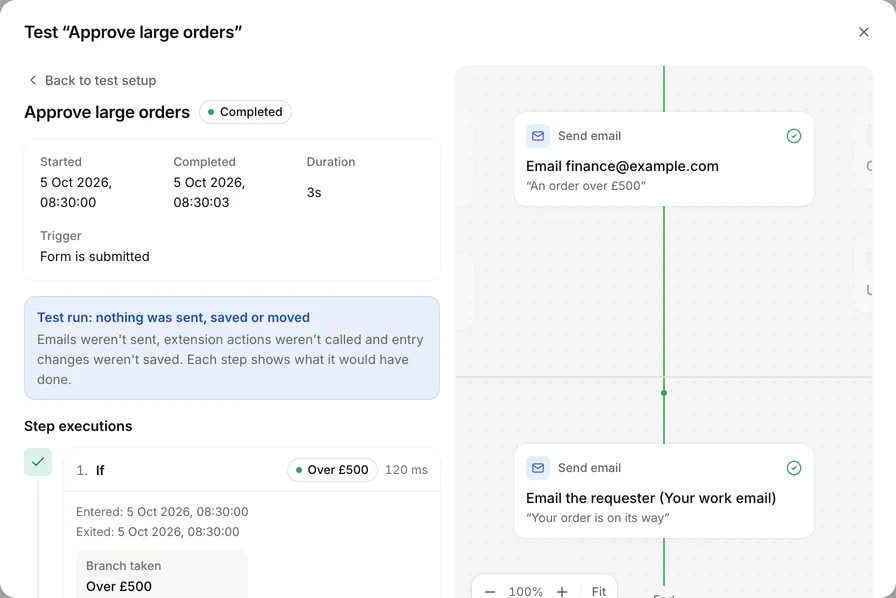
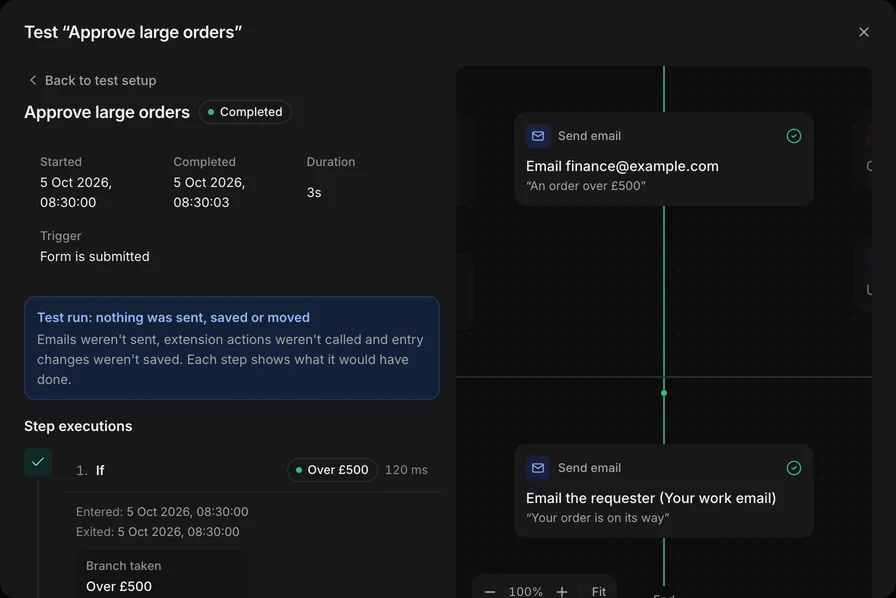
An example test run in FormWork. The same test tools are available in the app and through a connected assistant.
When Cognito Forms is a better fit
Choose Cognito for a client portal. Its portal guide describes clients accessing entries and submitting forms from a shared destination. FormWork gives a respondent a read-only status link for one entry; it does not provide a portal for their collection of submissions.
Choose Cognito when role-specific participation is central. Its workflow roles control visibility, editing and actions for different participants. In FormWork, everyone in an account can open every entry, and members can build and publish. Groups control ownership and approvals, not visibility. Use separate accounts when teams must be separated; see access boundaries.
Cognito is also a credible choice for ordinary repeating line items. Its repeating-data calculations cover totals and calculations across items. Repeating sections alone are not a reason to switch.
What will the purchase process cost?
For 80 requests a month using up to ten executed automation steps each, FormWork Starter is £19 per month excluding VAT. The example uses 800 of its 1,000 monthly steps and 80 of its 100 entries. It includes three admins and unlimited members, within limits of 1,000 stored entries and rows, 5 GB of files and three projects. For 1,000 requests a month, Pro is £49 per month, with 5,000 monthly entries, 50,000 steps and 50,000 stored entries and rows. FormWork pricing.
Cognito’s pricing page, as displayed during this review, offered Team at $62 monthly or $49 per month billed annually, with five users, 10,000 monthly entries and workflows. Prices are in USD, with applicable tax additional; check the offer and portal entitlement shown for your organisation. Guest and API usage can add costs.
For the 80-request team, FormWork lets you buy the advanced process at its starting subscription. At higher volumes, compare both plans’ allowances: Cognito Team includes more monthly entries than FormWork Pro. A portal or role-based participation can also make Cognito the better purchase. Prices retain their original currencies.
Try a representative purchase request
Start with one requirement in your 30-day FormWork trial, using the purchase approvals walkthrough or a connected assistant:
Prepare a purchase request draft with repeating line items, a calculated total and finance approval above £500. Ask me which people should approve. Add an internal PO number and a finance view, test both sides of the threshold, and show the publish review.
Then ask the assistant to change the threshold and the view. That second change tests the broader configuration scope that makes FormWork worth choosing. For Cognito, also try the participant roles and portal if those are part of your requirements.
If you move an existing process, rebuild its routing and integrations as well as importing data; CSV import does not transfer a workflow.
Written by the FormWork team from the linked official documentation, checked on the review date above. The purchase request is an illustrative example.